
|
For background information, see: About the User Interface |
To move between tabs using the keyboard:
Ctrl+Tab moves you between the last two tabs used
Ctrl+Shift+Tab moves you between all tabs
Some tabs have quick keys assigned. Hold Alt on the keyboard and press the letter or number that is underlined on the tab or field. On the below screen, pressing Alt+1 switches to the Patient tab.
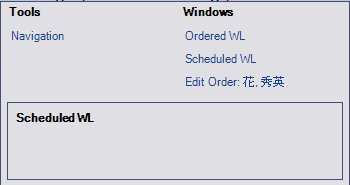
If there are many tabs open, a drop-down list at the far right displays the open tabs. Alternatively, you can press Ctrl+Shift+Tab and while continuing to hold down Ctrl+Shift, a window displays a list of the open tabs and tools. You can then click the window you want to view or press tab to move between the windows.
Symbols
There are different symbols that can appear on tabs:
An asterisk indicates information on the tab has changed and needs to be saved.
A flag indicates a required field is missing information.
A stop sign indicates a required field is missing information.
Related Topics: |